Merge PDF
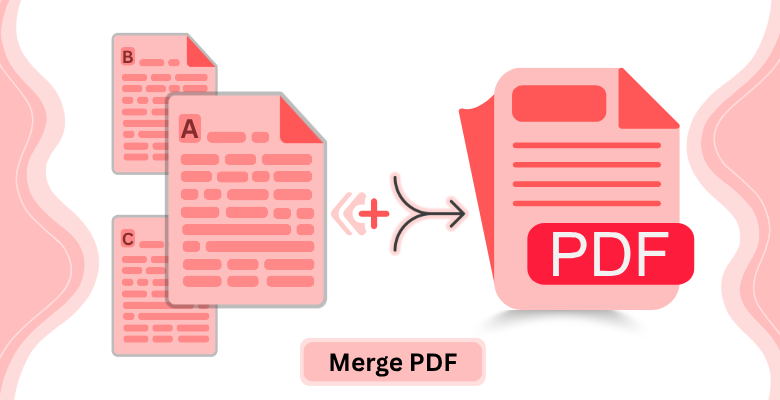
Merge PDF Files
Merge or combine multiple PDF files into a single document with ease. Upload your PDFs, choose the order, and download the merged file. No software installation required.
How to merge PDF files online
- Upload your PDF files to PDF Editify.
- Choose the order of the PDF files.
- Click Merge PDF to download the merged file.
Why Use PDF Editify to Merge PDF Files?
No Software Needed
Merge PDFs directly in your browser without installing any extra software.
Stays Private
Your files are never sent to our servers. All processing happens client-side.
Full Access
Merge PDFs and images in one file with ease and download the merged file.
Frequently Asked Questions
Is it possible to merge PDF and JPG files together?
PDF Editify is primarily designed for merging PDF files. However, you can convert JPG images to PDF and then merge them with your PDF files. Simply use our image-to-PDF conversion feature to create a PDF from your JPG files, then merge them with your other PDFs to create a single combined document.
How can I merge PDF files on a Mac?
Merging PDF files on a Mac is easy with PDF Editify since it's web-based and works on any operating system. Simply open our website on your Mac's browser, upload your PDF files, arrange them in the desired order, and click 'Merge PDF'. Download your merged file directly to your Mac without needing any special software.
Can I choose the order of the pages when merging PDFs?
Yes, you have complete control over the order of your PDFs when merging. After uploading your files, you can rearrange them by dragging and dropping. Simply specify the exact order you want your PDFs combined, and our tool will merge them in that specific sequence.
Is there a file size limit for merging PDFs?
PDF Editify can handle large PDF files, but very large files may take longer to process. For optimal performance, we recommend keeping individual PDF files under 100MB. If you need to merge larger files, you can split them first or contact us for assistance with your specific needs.
Does the merged PDF retain the quality of the original files?
Yes, PDF Editify preserves the quality of your original PDF files when merging. Your merged PDF will maintain the same resolution, text clarity, and image quality as the source files. No quality is lost in the merging process, ensuring your final document looks exactly as intended.