Split PDF
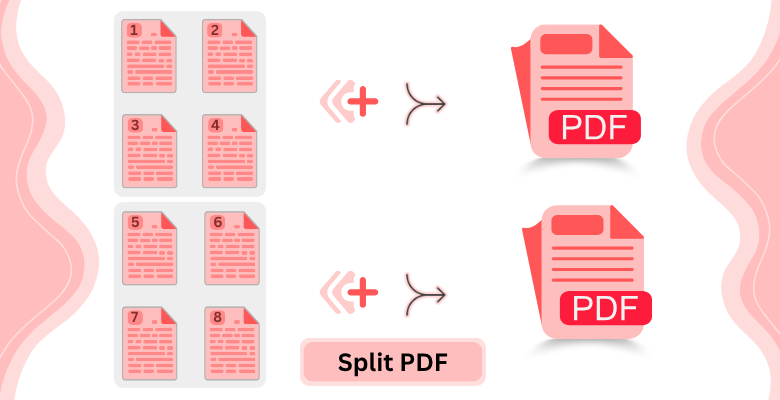
Split PDF Files
Divide any PDF into multiple separate files directly in your browser. Set split points between pages, or split uniformly every N pages. No software installation required.
How to Split PDF Pages
- Upload your PDF file to PDF Editify.
- Click between pages to set split points, or use 'Split after every N pages'.
- Click Split PDF to download your files.
Why Use PDF Editify to Split PDF Files?
No Software Needed
Split PDFs directly in your browser without installing any extra software.
Stays Private
Your files are never sent to our servers. All processing happens client-side.
Flexible Splitting
Set custom split points or use uniform splitting to divide your PDF exactly as needed.
Frequently Asked Questions
How to split a PDF into multiple files?
To split PDF online with our PDF Splitter, simply upload your document, choose your preferred split points or intervals, and click 'Split PDF'. It’s a fast, secure way to divide large documents into smaller, manageable files directly in your browser.
Can I split a PDF without Adobe Acrobat?
Yes! You don't need expensive software. Our PDF splitting tool allows you to split PDF to PDF without Adobe Acrobat. Everything happens online, making it easy to extract or divide pages in seconds on any device.
Is it easy to split PDF pages?
Absolutely. We designed our interface for a simple PDF split experience. You can split PDF online by simply clicking between page thumbnails to set custom dividers. It's built to be intuitive for any user, regardless of technical skill.
Is there a page limit for splitting PDFs?
Our PDF Splitter is robust and handles documents with hundreds of pages. While most users find our PDF splitting tool works best with files under 100MB, there is no strict page limit, ensuring you can process even large reports efficiently.
How to split pdf file into separate PDF files?
Using our PDF Splitter, you can easily perform a split PDF to PDF operation. Upload your file, select the 'Split every page' option or set custom marks, and your document will be separated into individual PDF files instantly.
How do I split a PDF on a Mac?
Since you can split PDF online using our tool, it works perfectly on Mac. Whether you use Safari, Chrome, or Firefox, our PDF split functionality requires no installation, just upload and divide your pages on any macOS version.
What makes PDF Editify’s PDF splitter more efficient than other tools?
Our PDF Splitter is unique because it processes files locally in your browser. This makes our PDF splitting tool faster and more private than server-based alternatives, as your sensitive data never leaves your computer during the process.
Are there any page limits when splitting PDFs?
We aim for a balance of speed and power. You can perform a PDF split on documents of various sizes. Our PDF Splitter is optimized to handle large volumes of pages, though very complex files might take a few extra moments to process locally.