Add Image to PDF
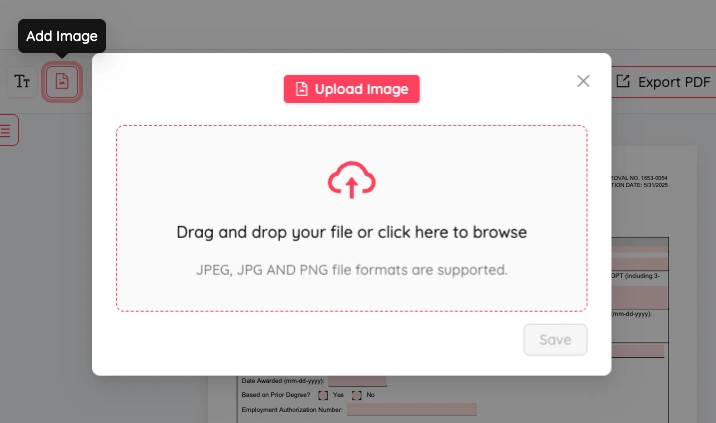
Add Images to PDF Documents
Easily enhance your PDF files by adding images, logos, signatures, or watermarks with our intuitive image insertion tool. Upload your PDF and images, then place them exactly where you need them, no technical skills required.
Perfect Image Positioning
Gain complete control over image placement in your PDF. Resize, rotate, and position images with pixel-perfect precision.

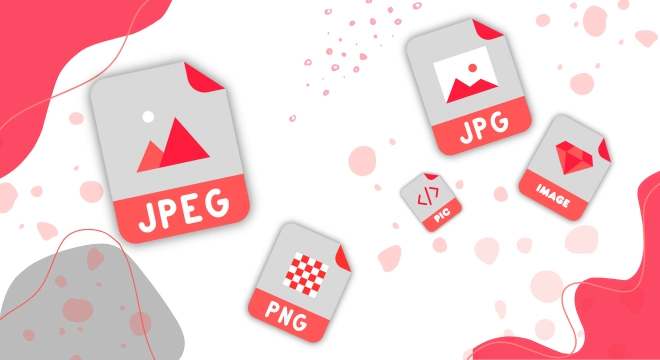
Support for Various Image Formats
Our tool works with all popular image formats including JPG, PNG AND JPEG. Maintain image quality while inserting high-resolution pictures that make your PDF documents stand out and communicate effectively.

How to Add Images to Your PDF
- Upload your PDF document to our secure platform.
- Select the image files you want to add from your device.
- Position and resize your images exactly where you want them.
- Download your enhanced PDF with embedded images.
The Benefits of Our PDF Image Tool
High-Quality Results
Maintain the original quality of both your PDF and images. Our tool preserves image resolution and PDF text clarity for professional-looking documents every time.
Complete Control
Resize, and position your images with pixel-perfect precision. Create exactly the look you want with intuitive drag-and-drop controls and fine-tuning options.
Professional Design
Create visually appealing documents by adding logos, product images, diagrams, or signatures. Transform plain text PDFs into engaging visual content for better communication.
Frequently Asked Questions
How do I add an image to a PDF online?
Adding an image to a PDF online with PDF Editify is straightforward. Simply upload your PDF file, select the image insertion tool from the toolbar, choose your image file from your device, and place it on the page. You can resize, rotate, and position the image exactly where you need it, then download your enhanced PDF.
What image formats can I add into a PDF?
PDF Editify supports all popular image formats including JPG, JPEG, PNG, GIF, BMP, and TIFF. Whether you have a photo, graphic, logo, or diagram, you can add it to your PDF. Our tool automatically optimizes images to maintain quality while keeping file sizes manageable.
Can I add a logo or watermark image to a PDF?
Yes, you can easily add logos, watermarks, and other branding elements to your PDFs. Simply insert the image and position it where you want it. You can resize it, adjust its transparency for watermarks, or place it in a corner for logos. This is perfect for adding your company branding to documents, certificates, or official correspondence.
Can I add multiple images to the same PDF?
Absolutely. You can add as many images as you need to a single PDF. Add multiple images to a single page, distribute images across different pages, or create an image-rich document. Our tool allows you to manage all images independently, making it easy to build visually engaging multi-image PDFs.